
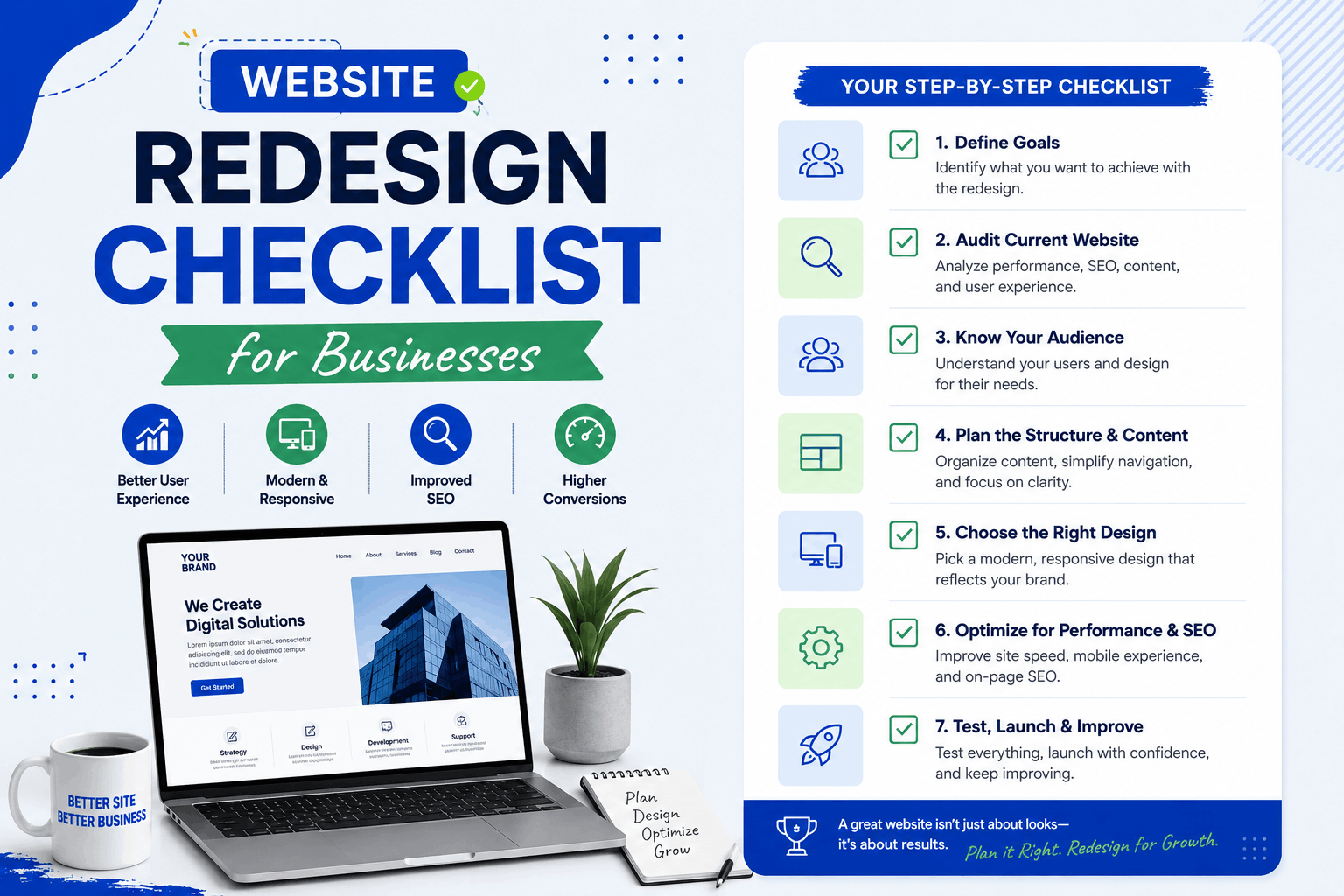
A website redesign can help your business improve its online presence, generate more leads, increase conversions, and provide a better user experience. However, redesigning a website without a proper plan can lead to SEO issues, traffic loss, and poor performance.
Whether you’re updating an outdated website or completely rebuilding your online presence, having a clear redesign checklist is essential.
In this guide, we’ll walk through a complete website redesign checklist for businesses in 2026.
Why Redesign Your Website?
Businesses often redesign their websites to:
- Improve user experience
- Modernize design
- Increase lead generation
- Improve SEO performance
- Enhance mobile usability
- Increase website speed
1. Define Your Website Goals
Before starting the redesign process, identify what you want to achieve.
Common goals include:
- More enquiries
- More sales
- Better SEO rankings
- Improved brand image
- Higher conversion rates
2. Audit Your Existing Website
Review your current website performance before making changes.
Analyze:
- Top-performing pages
- Traffic sources
- Keyword rankings
- Bounce rates
- Conversion rates
3. Review Website Analytics
Identify which pages attract the most traffic and generate the most leads.
This data helps preserve valuable content during the redesign.
4. Create a New Website Structure
A clear website structure improves navigation and SEO.
Plan:
- Main pages
- Service pages
- Blog categories
- Contact pages
- Landing pages
Read our guide on SEO-friendly website structure.
5. Keep Important URLs Intact
Changing URLs unnecessarily can negatively impact SEO.
Preserve high-performing URLs whenever possible.
6. Prepare 301 Redirects
If URLs must change, create proper 301 redirects to preserve rankings and backlinks.
7. Review Existing Content
Identify content that should be:
- Kept
- Updated
- Merged
- Removed
Focus on improving content quality rather than deleting valuable pages.
8. Improve Website Design
Your redesigned website should look modern and professional.
Focus on:
- Clean layouts
- Consistent branding
- Readable typography
- Strong visual hierarchy
9. Ensure Mobile Responsiveness
Most users browse websites on mobile devices.
Your redesigned website should work perfectly on:
- Smartphones
- Tablets
- Desktop computers
10. Improve Website Speed
Website speed affects both SEO and user experience.
Optimize:
- Images
- Code
- Caching
- Hosting performance
11. Optimize Navigation
Visitors should be able to find information quickly and easily.
Keep navigation:
- Simple
- Logical
- User-friendly
12. Review Call-to-Actions (CTAs)
Every important page should include clear CTAs.
Examples include:
- Get a Quote
- Contact Us
- Book a Consultation
- Request Pricing
13. Add Trust-Building Elements
Build credibility with:
- Customer testimonials
- Case studies
- Reviews
- Client logos
- Certifications
14. Optimize SEO Elements
Review and preserve:
- Meta titles
- Meta descriptions
- Heading structure
- Image alt text
- Internal links
15. Check Internal Linking
Internal links help users and search engines navigate your website.
Fix broken links and improve linking between related pages.
16. Update Contact Information
Ensure all contact details are accurate and consistent.
Check:
- Phone numbers
- Email addresses
- Business address
- Contact forms
17. Review Forms and Lead Capture Tools
Test all forms before launch.
Ensure enquiries are delivered correctly.
18. Secure Your Website
Security should be part of every redesign project.
Include:
- SSL certificate
- Security plugins
- Regular backups
19. Test the Website Before Launch
Perform thorough testing on:
- Navigation
- Forms
- Links
- Mobile devices
- Page speed
20. Submit Updated Sitemap
After launch, submit your updated XML sitemap to Google Search Console.
21. Monitor SEO Performance
Track performance after launch by monitoring:
- Keyword rankings
- Organic traffic
- Index coverage
- Conversion rates
Common Website Redesign Mistakes
- Ignoring SEO
- Removing important content
- Not creating redirects
- Poor mobile optimization
- Launching without testing
Website Redesign Benefits
- Improved user experience
- Better SEO rankings
- Higher conversion rates
- Faster performance
- Stronger brand image
- Increased lead generation
Need Help Redesigning Your Website?
We help businesses redesign websites with a focus on SEO, speed, user experience, and lead generation.
Explore our website redesign and development services.
Final Thoughts
A website redesign is more than just changing the appearance of your website. It is an opportunity to improve performance, user experience, SEO, and business growth.
Following a structured redesign checklist helps ensure a smooth transition while protecting your search rankings and maximizing results.
Contact us today to plan a successful website redesign for your business!