
Website security is no longer optional. Whether you run a small business website, an eCommerce store, or a corporate website, security threats are increasing every year.
Many website owners assume that hackers only target large companies. In reality, small and medium-sized businesses are often targeted because their websites may have weaker security measures.
In this guide, we’ll explore the most common website security mistakes businesses make and how to avoid them in 2026.
Why Website Security Matters
A security breach can lead to:
- Website downtime
- Loss of customer trust
- SEO ranking drops
- Data theft
- Financial losses
- Malware infections
Protecting your website should be a top priority for every business.
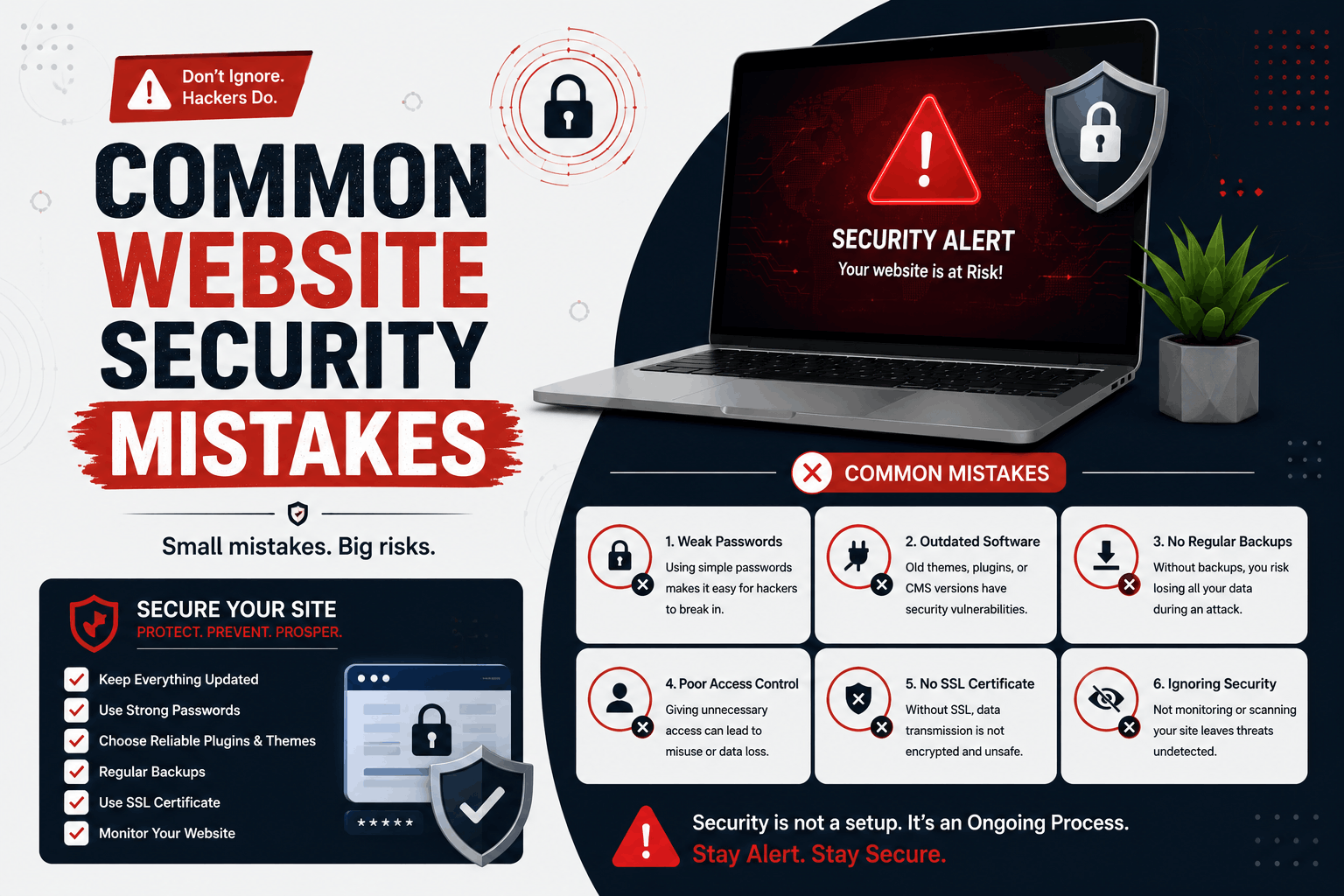
1. Using Weak Passwords
Weak passwords remain one of the biggest security risks.
Examples of poor passwords include:
- 123456
- password
- admin123
- companyname123
Use strong passwords that include:
- Uppercase letters
- Lowercase letters
- Numbers
- Special characters
2. Not Using SSL Certificates
An SSL certificate encrypts data exchanged between visitors and your website.
Without SSL:
- Data can be intercepted
- Visitors may see security warnings
- Trust decreases
- SEO can be affected
3. Ignoring Software Updates
Outdated software is one of the most common causes of website hacks.
Always keep updated:
- WordPress core
- Themes
- Plugins
- Server software
4. Installing Untrusted Plugins or Themes
Free plugins and themes from unknown sources can contain malicious code.
Only install extensions from trusted developers and reputable marketplaces.
5. Not Creating Regular Backups
Backups are your safety net if something goes wrong.
Without backups, recovering from:
- Hacks
- Server failures
- Human errors
- Malware attacks
can become extremely difficult.
6. Using Default Admin Usernames
Many websites still use “admin” as the administrator username.
This makes brute-force attacks easier.
Create unique administrator usernames whenever possible.
7. Not Enabling Two-Factor Authentication (2FA)
Two-factor authentication adds an extra layer of protection.
Even if a password is compromised, attackers still need a second verification method.
8. Poor User Access Management
Not every user should have full administrative access.
Follow the principle of least privilege:
- Editors should have editor access
- Authors should have author access
- Admins should be limited
9. Ignoring Website Security Monitoring
Many website owners discover attacks only after significant damage has occurred.
Security monitoring helps detect:
- Malware
- Unauthorized logins
- Suspicious activity
- File changes
10. No Web Application Firewall (WAF)
A firewall helps block malicious traffic before it reaches your website.
This can reduce the risk of:
- Bot attacks
- DDoS attacks
- Brute-force attempts
11. Using Cheap or Poor-Quality Hosting
Hosting plays an important role in website security.
Reliable hosting providers often offer:
- Malware scanning
- Firewall protection
- Automatic backups
- Security monitoring
12. Leaving Unused Plugins Installed
Inactive plugins can still create security vulnerabilities.
Remove plugins and themes that are no longer needed.
13. Not Protecting Contact Forms
Unprotected forms can become targets for spam and abuse.
Consider using:
- CAPTCHA
- Spam filtering
- Form validation
14. Exposing Sensitive Information
Avoid displaying unnecessary technical information that could help attackers identify vulnerabilities.
15. Not Performing Security Audits
Regular security audits help identify weaknesses before attackers do.
Review:
- User accounts
- Plugins
- Themes
- Server configurations
16. Poor File Permissions
Incorrect file permissions can allow unauthorized access to website files.
Proper permission settings help protect critical files.
17. Ignoring Malware Scans
Regular malware scanning can identify threats before they cause major damage.
18. Not Securing Login Pages
Login pages are common attack targets.
Consider:
- Login attempt limits
- Two-factor authentication
- Security plugins
19. Failing to Educate Team Members
Human error remains one of the biggest security risks.
Train employees to recognize:
- Phishing attempts
- Suspicious emails
- Password security practices
20. Assuming “It Won’t Happen to Me”
One of the biggest mistakes is believing your website is too small to be targeted.
Automated attacks scan millions of websites looking for vulnerabilities regardless of business size.
Website Security Best Practices
- Use SSL certificates
- Keep software updated
- Use strong passwords
- Enable 2FA
- Perform regular backups
- Monitor website activity
- Install security tools
- Choose quality hosting
Signs Your Website May Be Compromised
- Unexpected redirects
- Slow website performance
- Unknown user accounts
- Spam content appearing
- Security warnings in browsers
- Sudden ranking drops
Need Help Securing Your Website?
We help businesses improve website security through professional maintenance, monitoring, backups, SSL setup, and security hardening services.
Explore our website maintenance and security services to keep your website protected in 2026 and beyond.
Final Thoughts
Website security is an ongoing process, not a one-time task.
By avoiding these common security mistakes and following best practices, businesses can reduce risks, protect customer data, and maintain trust with their visitors.
Invest in website security today to protect your business tomorrow.